1 Introduction
At Linkincrease, in addition to organizational members participating in order process data collection, each team can also invite other teams to participate in business collaboration; conversely, they can act as a collaborating team and accept invitations to participate in other teams' collaborative work.
Before business collaboration, a collaborative relationship needs to be established between the two teams: the team sending the invitation is hereinafter referred to as the "main team"; the team accepting the invitation is hereinafter referred to as the "collaborating team". Business data generated during subsequent collaboration will be regarded as data assets of both parties.
1.1 Core Concepts
- Main Team
- The party that takes the initiative to send collaboration invitations
- Has the permission to create collaborative relationships and set collaboration rules
- Collaborating Team
- The party that accepts collaboration invitations
- Participates in collaboration according to rules set by the main team
1.2 Key Features
Dynamic Role Switching
The same team can freely switch roles in different collaborations
Example: Team A acts as the main team to invite Team B in "SCCS_X" Team B acts as the main team to invite Team A in "SCCS_Y"
Multi-threaded Collaboration
Can be the main team/collaborating team in multiple collaborative relationships simultaneously
Each collaborative relationship is managed independently without mutual interference
1.3 Typical Scenario Examples
In the supply chain collaboration process:
- Brands (main team) invite suppliers (collaborating teams) to manage production progress
- OEMs (main team) invite brands (collaborating teams) to confirm quality inspection reports
2 How to Establish a Collaborative Relationship
2.1 Establishing Collaborative Relationships at the Team Level
To establish a collaborative relationship between two teams, it is necessary to first set up the collaboration at the team level. Afterwards, when needed in an SCCS, the corresponding collaborating team can be directly added to the SCCS to participate in order collaboration.
Steps to establish a collaborative relationship at the team level:
Step 1: When Team A needs to invite Team B to collaborate, Team B's administrator needs to provide their team code. The method to obtain the team code is shown in the figure below 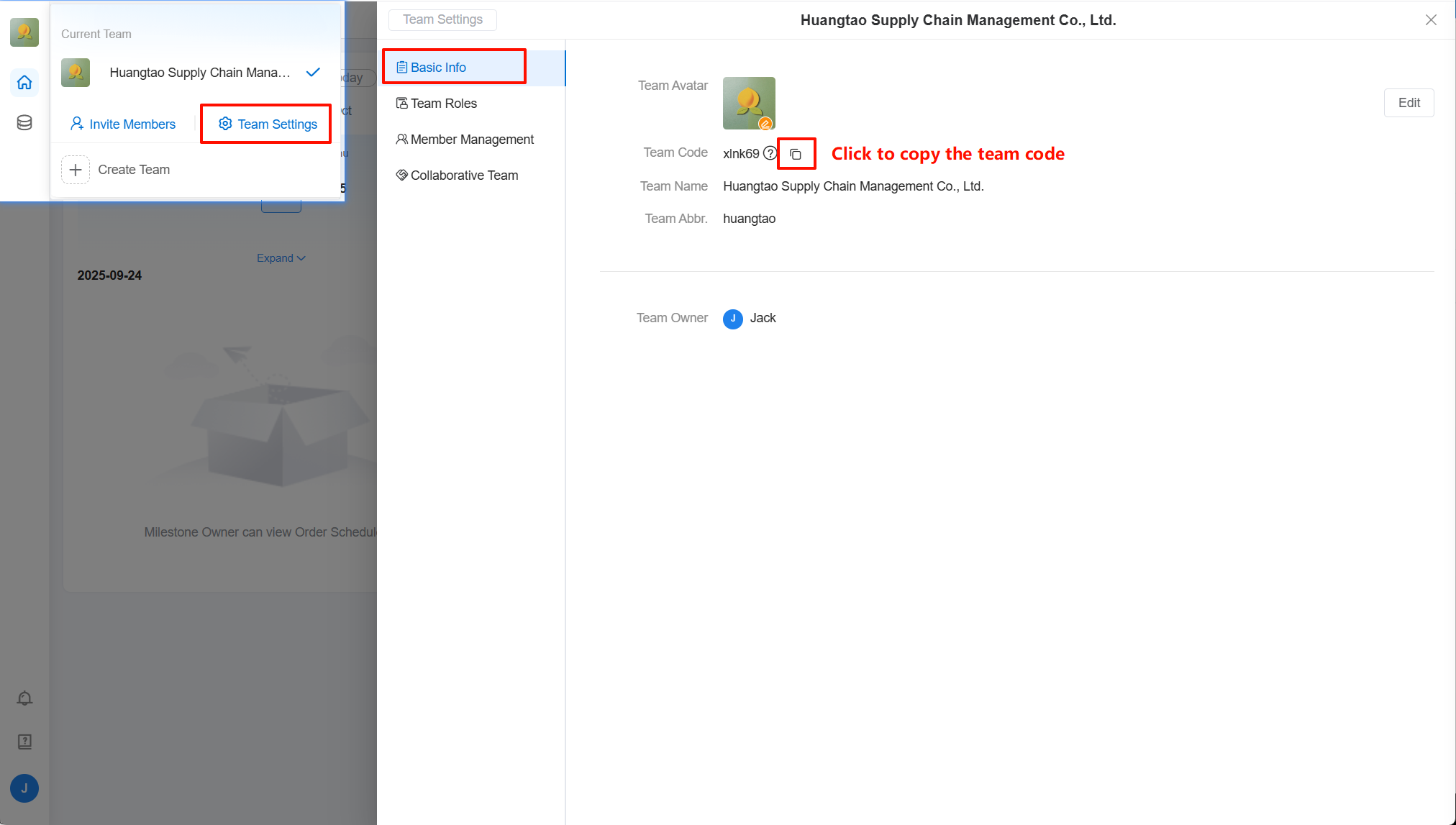
Step 2: After Team A obtains the other party's team code, they can add Team B to collaborate in the [Collaborating Team Management > Invited by Me] list 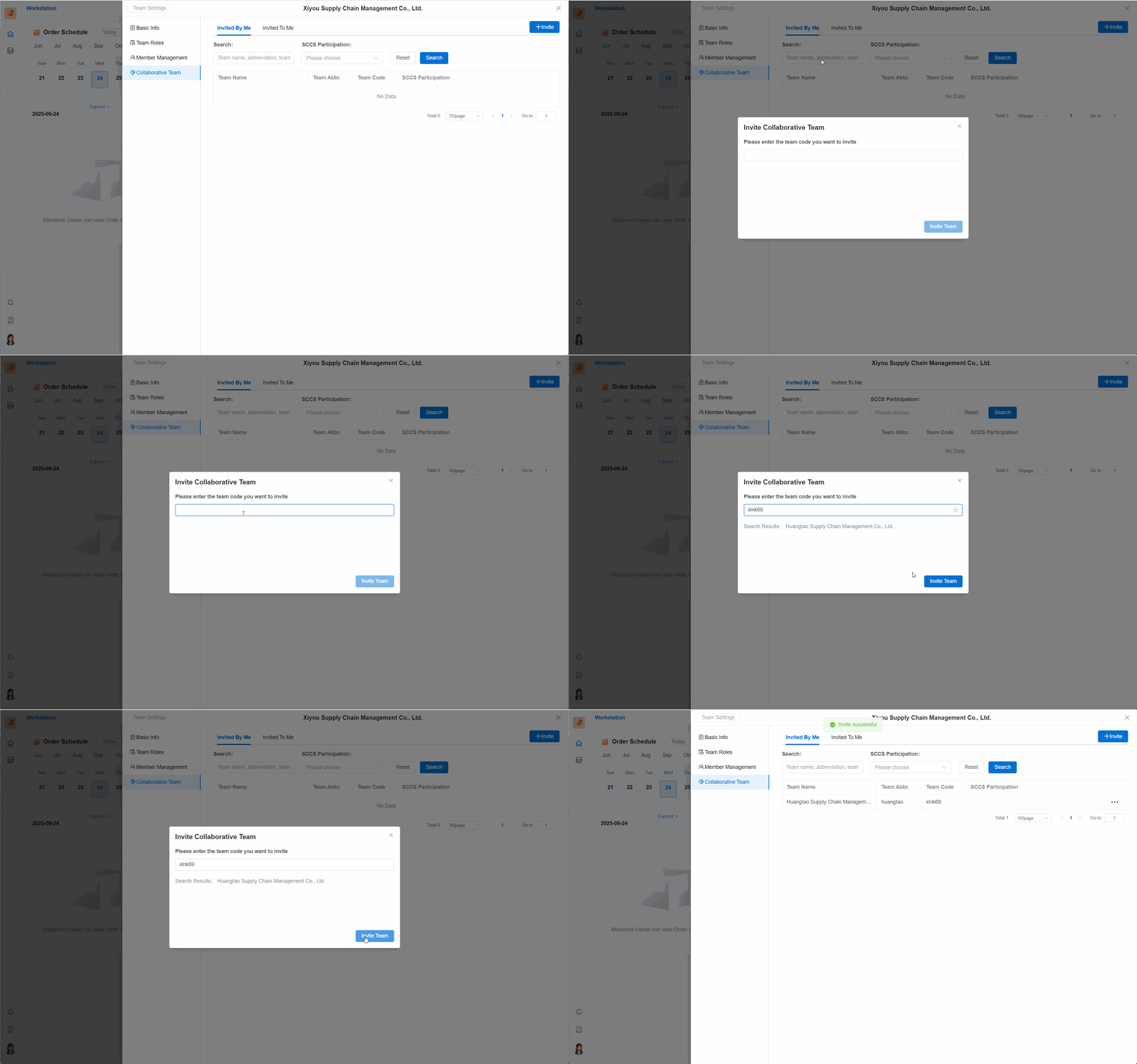
Step 3: After Team A successfully adds Team B, Team B can view the teams they have collaborated with in the [Inviting Me] list 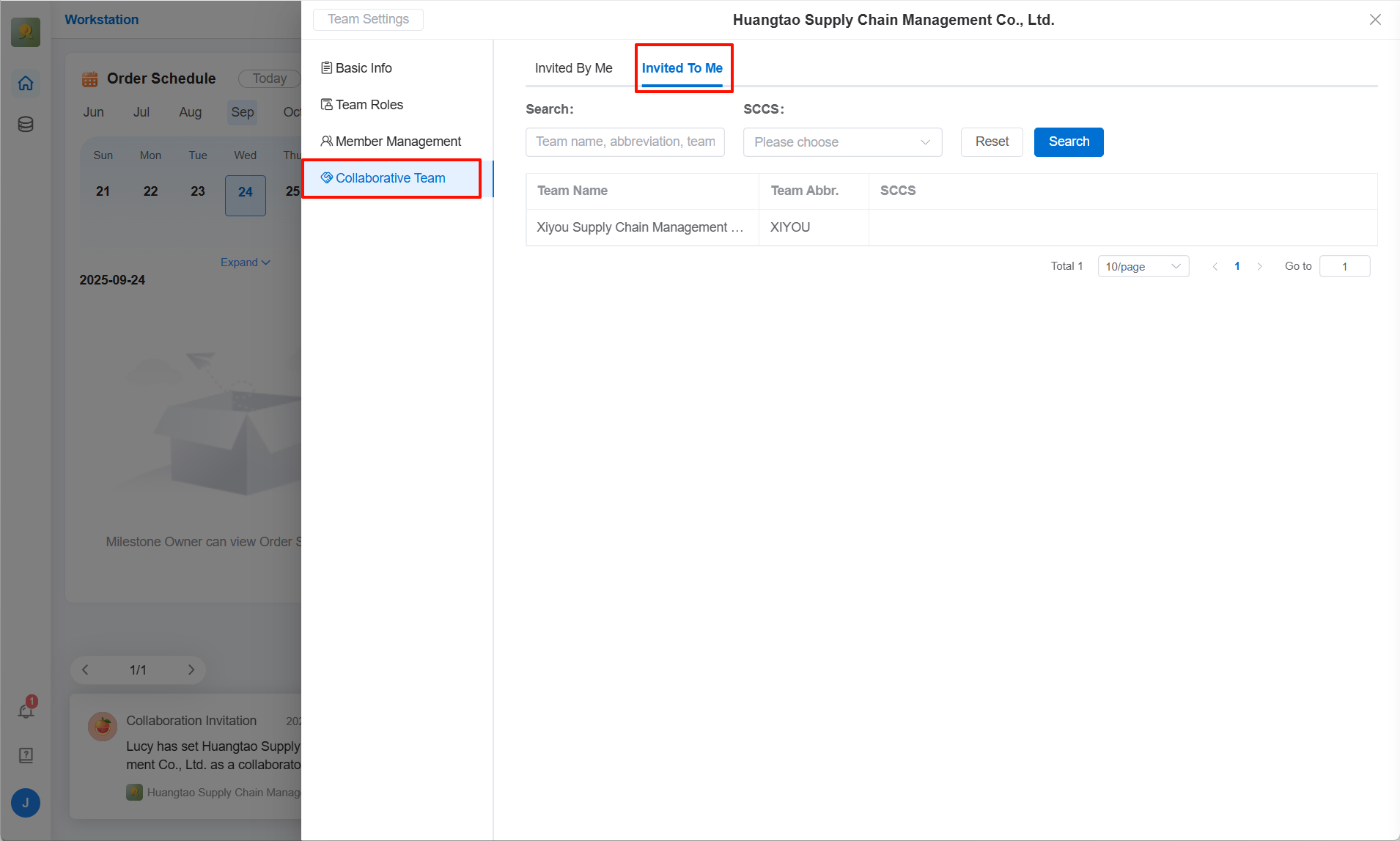
2.2 Adding Collaborating Teams in SCCS
When an SCCS requires the participation of certain collaborating teams, the SCCS administrator can enter the [SCCS Settings > Collaborating Team Management] list to add collaborating teams
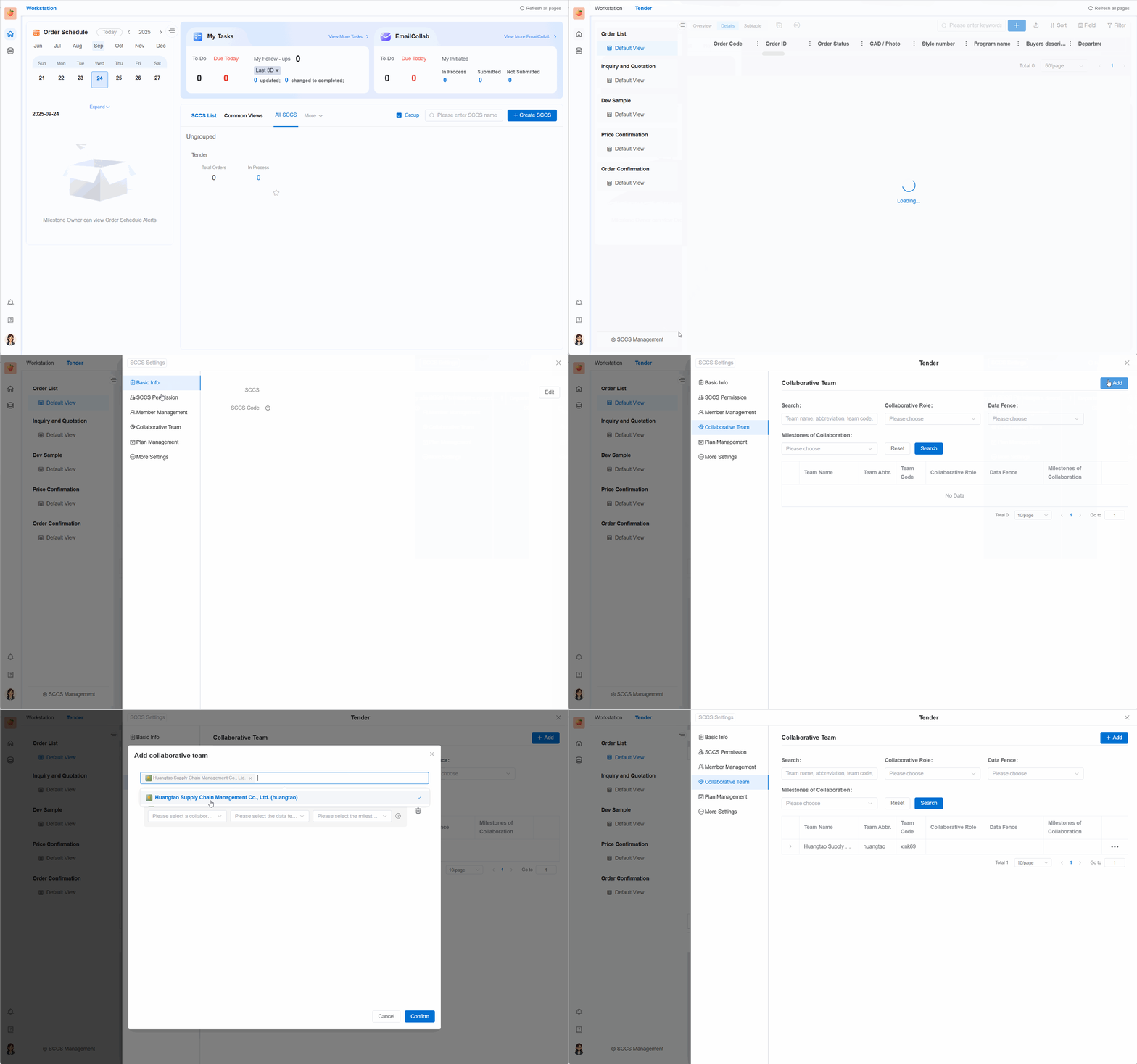
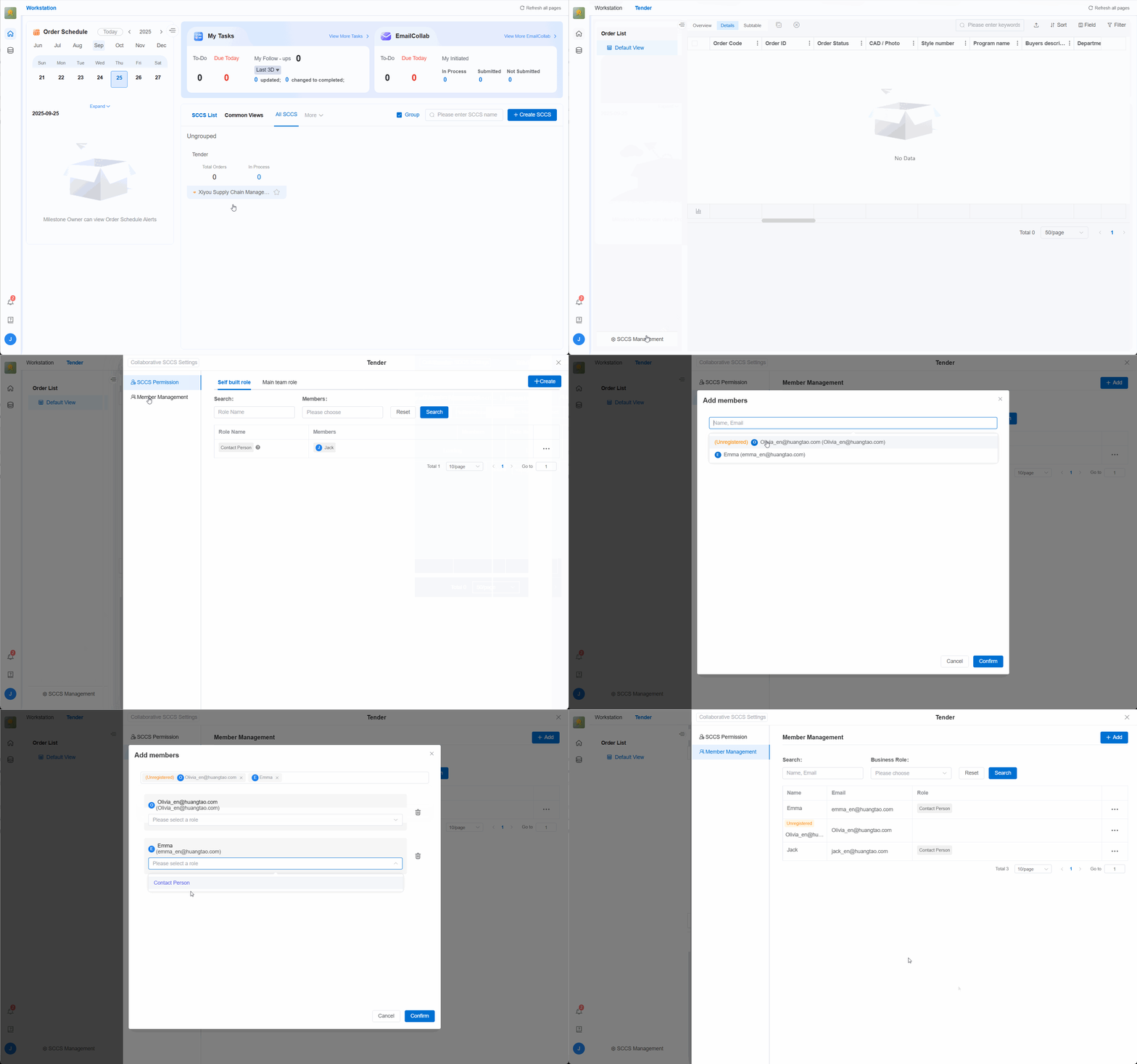
Collaborating Teams Adding Members in SCCS After the main team adds a collaborating team to the SCCS, relevant members of the collaborating team can view the collaborative SCCS on their workbench. At this time, the owner of the collaborating team will be by default the "contact person" of the SCCS. 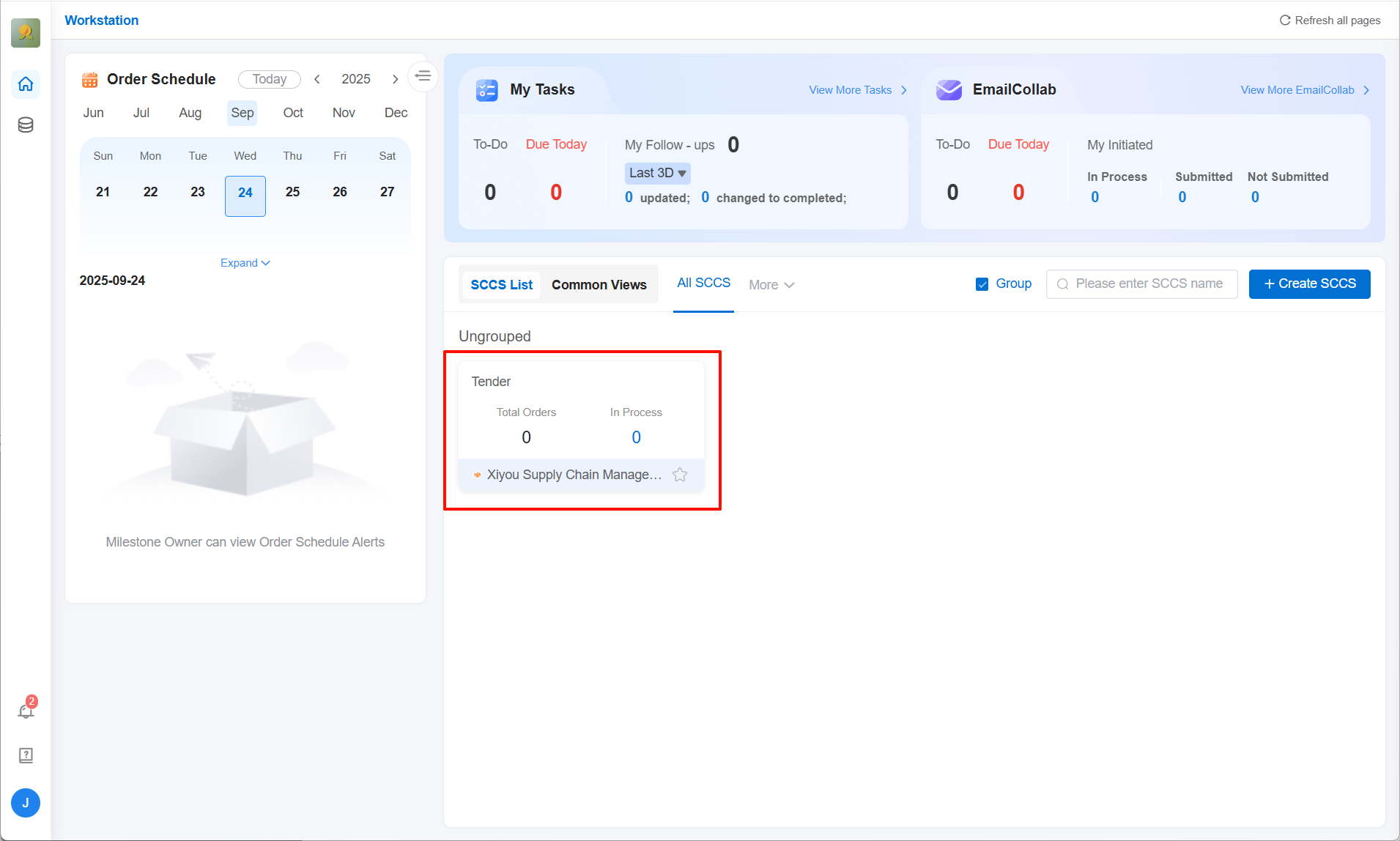
The contact person can add members of their own team to participate in the collaboration within the collaborative SCCS. After addition, these members can receive relevant work order tasks.